Getting drivers to actually use the app
By navichain team
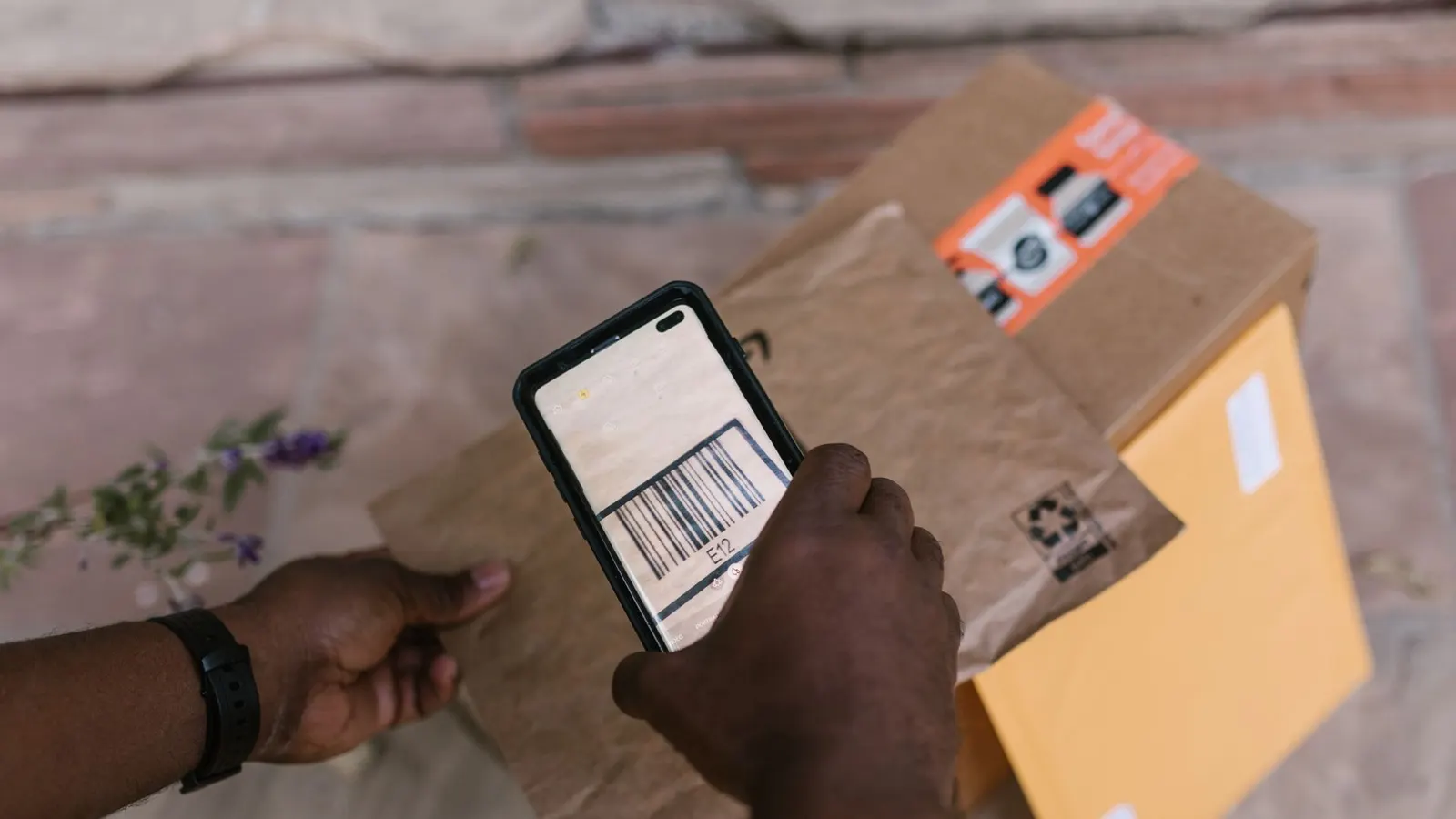
Somewhere in most fleets there is a driver app that was rolled out with a memo in January and quietly abandoned by March. It is still installed. It is open on three phones out of twenty. The office reconstructs the day from phone calls, exactly as it did before, and the project gets written off as drivers being resistant to change.
They were not resistant. They were being rational, which is a harder problem to argue with — and an easier one to design around, if you treat adoption as something the software has to earn rather than something training is supposed to deliver.
The failure mode, stated plainly
The rollout goes like this. For the first fortnight compliance is close to total, because somebody is watching. Then a driver hits a stop the app cannot handle — a customer who insists on a signed paper copy, a job added to the run by phone, a stop list that will not load in an underground dock — and falls back to the old way. Nothing bad happens. Dispatch takes the call and types it in.
That is the moment the rollout is decided. The driver has learned that the old way still works and is faster under pressure, and the app has become the optional extra step. Everything after that is drift.
Adoption is a design constraint
If using the app costs a driver more time than not using it, they will stop using it, and they will be right to. Sixteen stops a day turns a ten-second difference into nearly three minutes; three minutes at the end of a legal driving day is not a rounding error to the person driving it.
So the evaluation question is not will the drivers accept this. It is: does this cost the driver less than the alternative, at every step of the day? That changes what you test in a demo. Do not ask whether the app has proof of delivery. Ask how many taps proof of delivery takes with gloves on, in the rain, one-handed, on a phone at 12% battery.
Bring your own device beats dedicated hardware
The case for rugged terminals is real: durable, controlled, no personal data, one configuration to support. The case against is that the device price is the smallest cost it carries. Somebody has to charge them, hand them out, keep spares, and replace the ones left in a cab that has gone to another depot — and drivers carry their own phone anyway, so the terminal becomes the second device, and the second device is the one that gets forgotten.
A phone the driver already owns arrives with the things you cannot buy: muscle memory, their keyboard, their language, their notification habits, and the ability to fix the ordinary problems themselves. Nobody needs training on how to restart it.
Two objections to bring-your-own-device are honest and worth handling explicitly rather than waving away. Battery and data are a real cost that falls on the driver: fit a charger and a mount in the cab and agree a phone allowance, and both largely disappear. Privacy is the more serious one. If the app records position, say plainly when tracking starts and when it stops, put it in writing, and make the answer on shift only. A workforce that suspects it is being followed home will not adopt anything, and they would be right about that too.
Every step that still needs paper re-teaches paper
Partial digitisation is worse than it looks. If one customer still needs a signed paper consignment note, the folder stays in the cab. Once the folder is in the cab it is the fallback for everything — not out of stubbornness, but because it is right there and it always works.
So map the paper before rollout, customer by customer: consignment note, proof of delivery, dangerous goods documentation, gate paperwork, temperature logs, weighbridge tickets. Any one of those you cannot do in the app is a live paper route. Decide about each deliberately — close it, or accept it and plan around the folder. What does not work is assuming the folder will evaporate because an app exists.
The office pays for the leftovers on the invoicing side, which is where the cost is easiest to see: what paper PODs do to your invoicing lag.
One tap, or it becomes a phone call
The unit of work is arriving, loading, leaving. Each should be one deliberate action. If a status update means opening the app, finding the run, finding the stop, choosing from a list, filling in a note and pressing save, drivers will do it for a while and then batch the whole day at the tailgate at 17:00 — which destroys the only thing status updates are for: telling the office and the customer something true, now.
Concretely, look for:
- Statuses scoped to the stop the driver is at, so there is no list of bookings to pick the wrong one from.
- Nothing mandatory that is not needed. A compulsory free-text note on every status turns three seconds into thirty and gets filled with a full stop.
- A failed delivery as easy as a successful one. If reporting a failure is the harder path, failures arrive by phone, hours later, which is the most expensive way to learn about them.
- Vehicle checks that fit in the yard, not a form that takes longer than the walk-around itself — the difference between checks that get done and checks that get signed.
Bad coverage is normal, not an edge case
Underground docks, ferry decks, tunnels, industrial estates, forest roads, the border. Somebody’s normal week contains several of these, and an app that assumes connectivity misbehaves precisely where the driver is busiest.
Degrading gracefully means specific things:
- Today’s stops are on the phone before the driver leaves, not fetched at the gate.
- A status tap with no signal is accepted locally and sent when signal returns.
- The driver is told which state it is in. Saved, waiting for coverage is a perfectly good message; a spinner that never resolves is what teaches drivers that the app is unreliable.
- Signatures and photos are never lost to a failed upload. They retry; they do not disappear quietly.
Ask a vendor to demonstrate this in the demo, with flight mode switched on, on their own device. It takes two minutes and separates products more honestly than any feature list does.
A rollout that survives March
Most of what is left is organisational.
Start with two or three curious drivers rather than the whole fleet. They will find the three things that do not work, and those get fixed before the other seventeen ever meet them. Fix what they report before widening: a complaint ignored in week one becomes a workaround forever.
Then give it a floor. From an agreed date, the app is where status comes from, and the office stops taking status by phone. That is a management decision, not a software feature, and no product substitutes for it — but it is only fair to make it once the friction is gone, not before.
Measure per driver, not per fleet. An average of 80% can mean everyone at 80%, which is a workflow problem, or sixteen drivers at 100% and four at nothing, which is a conversation. And expect the app to be worse than paper at one or two things. Say which ones, out loud. Drivers trust a system whose limits are admitted far more than one that was oversold to them in a memo.
Where navichain stands
navichain 365 runs on the iOS and Android phones drivers already carry, and it is included on every plan with no separate app fee — two driver seats per vehicle, with extra seats at 49 kr each on paid plans. It covers today’s stops, navigation and one-tap status updates; signatures, photos and failed-delivery reasons captured on the spot; daily walk-around checks that open a defect when something fails; and per-stop cargo manifests, so a driver sees the goods for the stop they are standing at rather than the whole load. The platform page lists what is inside, and pricing is public.